
Stamps
A stamp visibly marks an archived document – as checked, released or posted, for example. ECM-Connect applies the stamp in DocuWare so that the processing state is visible on the document itself.
What is this for?
- Make the processing state visible on the document itself.
- Apply the stamp automatically instead of by hand.
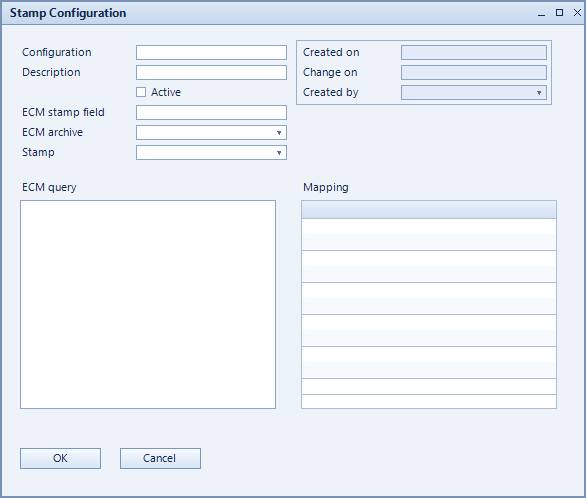
How to set it up
- Create a configuration and select the ECM archive.
- Choose the stamp under Stamp and the matching field under ECM stamp field.
- Use ECM query and mapping to define which documents get stamped.
Fields of the form
Captions taken from the "Stamp Configuration" form (table @NCSSTAMP).
| Field | Meaning |
|---|---|
| Configuration | Unique key of the configuration. |
| Description | Descriptive name of the record. |
| ECM archive | Archive the stamp is applied in. |
| Stamp | The stamp to apply. |
| Active | Enables the record. Only active records are evaluated. |
| ECM Query | Query selecting the documents to stamp. |
| Mapping | Mapping of values to the stamp. |
| ECM stamp field | Field receiving the stamp. |