
Document status
The link controls which documents belong to an SAP object and what processing state they are in. It defines which index field carries the status and how documents are uploaded or exported.
What is this for?
- Assign documents to an SAP object and track their status.
- Define upload and index fields.
- Allow documents to be exported to a path.
How to set it up
- Create the configuration and choose object type, document type and repository.
- Define the relevant fields under upload field and index field.
- Provide path and file for the export.
- Test via execute and activate.
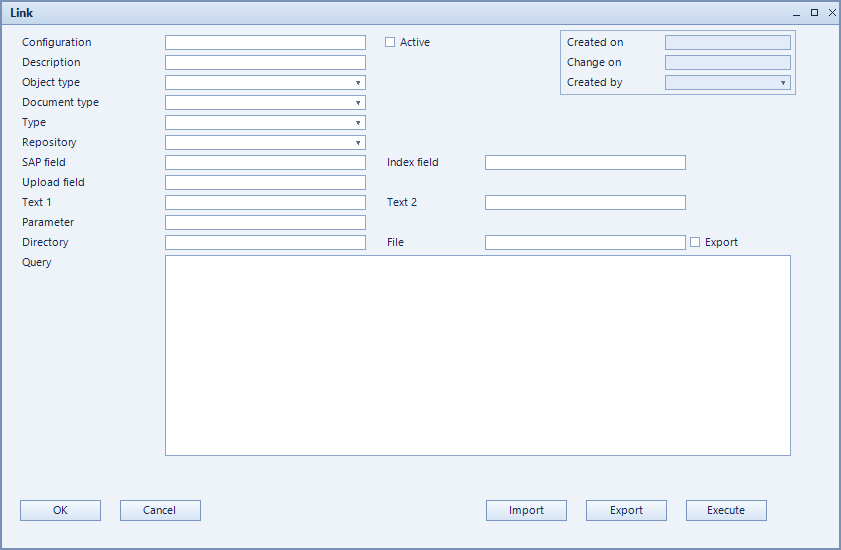
Fields of the form
Captions taken from the "Link" form (table @NCSUPLOAD).
| Field | Meaning |
|---|---|
| Configuration | Unique key of the configuration. |
| Description | Descriptive name of the record. |
| Object type | SAP object the record applies to. |
| Document type | Document type the record refers to. |
| Status | Processing state of the record. |
| Upload field | Field used to upload documents. |
| Index field | Index field carrying the status. |
| Text 1 | |
| Text 2 | |
| SQL-Statement | |
| Path | Target path for the export. |
| File | File name for the export. |
| Type | |
| SAP field | Field in SAP being linked. |
| Repository | Repository being used. |
| Parameter | Additional parameters for execution. |