
Index and master data
The indexing determines which values a document is indexed with in the archive. The values come from SAP Business One – determined by an SQL statement – and are written into the archive fields when filing. This produces the index data without double entry.
What is this for?
- Populate archive fields automatically from SAP data.
- Re-index existing documents afterwards using reindex.
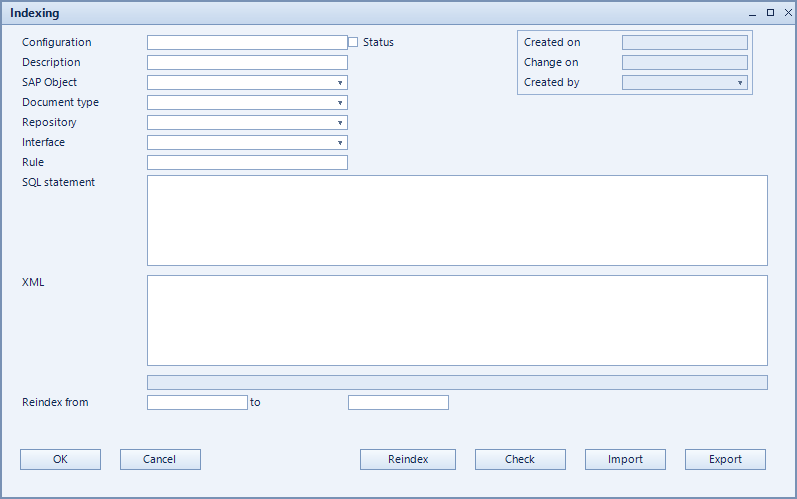
How to set it up
- Create the configuration and choose object type, document type and repository.
- Enter the SQL statement that supplies the index values.
- Optionally add an XML statement for structured hand-over.
- Verify with check, then set it active.
- For existing documents choose the period under reindex from / to and run reindex.
Fields of the form
Captions taken from the "Indexing" form (table @NCSINDEX).
| Field | Meaning |
|---|---|
| Configuration | Unique key of the configuration. |
| Description | Descriptive name of the record. |
| Object type | SAP object the record applies to. |
| Document type | Document type the record refers to. |
| Active | Enables the record. Only active records are evaluated. |
| SQL-Statement | Supplies the values used for indexing. |
| XML-Statement | Structured variant for more complex hand-over. |
| ODBC-Conn. | ODBC connection to the data source. |
| Reindex from | Start of the period to re-index. |
| Reindex | Starts re-indexing for the selected period. |
| to | End of the period to re-index. |
| Repository | Repository being used. |