
Document creation
The document creation produces new documents in SAP Business One from archived documents and their data. It describes which source triggers which document and which actions are performed.
What is this for?
- Create documents automatically from document data.
- Assign business partner and item correctly in the process.
- Optionally send a notification by mail.
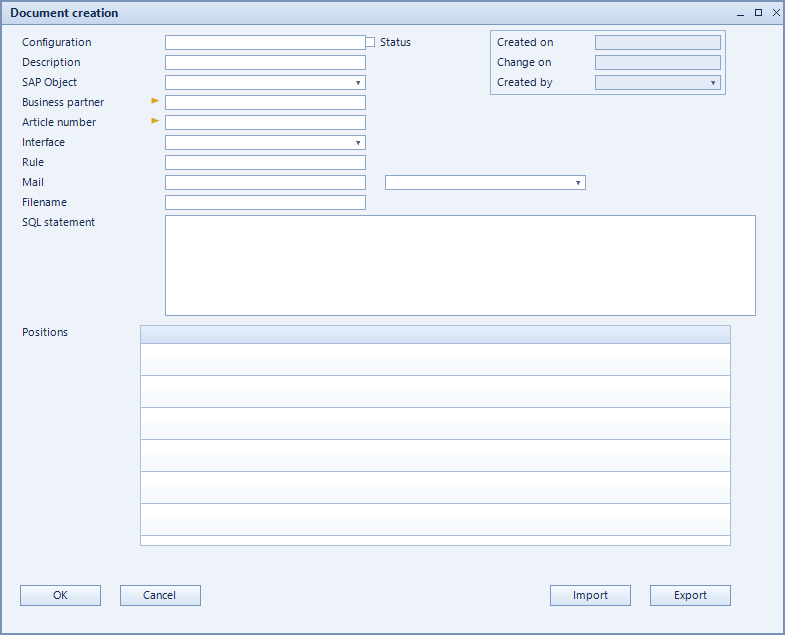
How to set it up
- Create the configuration and choose the object type of the target document.
- Enter the SQL statement supplying the source data.
- Define source, action and parameters per line.
- Add business partner, article and mail where needed and activate.
Fields of the form
Captions taken from the "Document creation" form (table @NCSDOCCREATE).
| Field | Meaning |
|---|---|
| Configuration | Unique key of the configuration. |
| Description | Descriptive name of the record. |
| Object type | SAP object the record applies to. |
| Active | Enables the record. Only active records are evaluated. |
| SQL-Statement | |
| ODBC-Conn. | ODBC connection to the data source. |
| Documents | Documents serving as the source. |
| Business partner | Business partner of the document to create. |
| Article | Item used in the document. |
| Notification after creation. | |
| File name | Naming scheme of the produced file. |