
Autofill
Autofill populates archive fields with fixed values automatically. This covers data that does not come from the SAP document but is identical for every document of a given kind – a client identifier or a processing status, for example.
What is this for?
- Pre-fill archive fields without user interaction.
- Avoid repetitive entry and rule out typing errors.
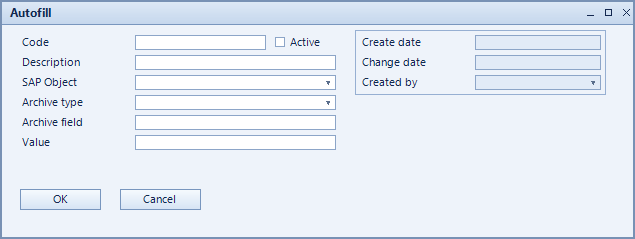
How to set it up
- Create a record and choose the SAP object and archive type.
- Enter the field to populate under archive field and the value under value.
- Set the record active.
Fields of the form
Captions taken from the "Autofill" form (table @NCSAUTOFILL).
| Field | Meaning |
|---|---|
| Active | Enables the record. Only active records are evaluated. |
| Code | Unique key of the record. |
| Description | Descriptive name of the record. |
| SAP object | SAP object the pre-fill applies to. |
| Archive type | Archive type or document type. |
| Archive field | Field in the archive that is populated. |
| Value | Value written into the field. |