
ECM mapping
The mapping translates between the fields of an incoming document and the fields in SAP Business One. It answers the question: which value from the document belongs in which SAP field? This is how recognised document data becomes a finished SAP document.
What is this for?
- Map source fields of the document onto target fields in SAP.
- Convert number and date formats correctly via culture info and precision.
- Optionally trigger posting automatically (auto book).
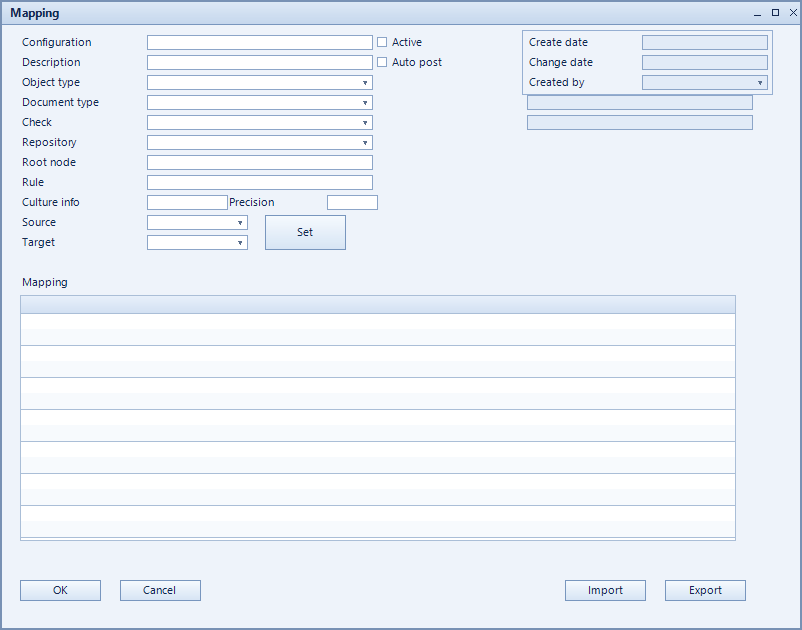
How to set it up
- Create the configuration and choose object type, document type and repository.
- Specify the entry point of the data structure under root node.
- Assign source and target per line.
- Set culture info and precision where number or date formats differ.
- Verify with check and set it active.
Fields of the form
Captions taken from the "Mapping" form (table @NCSXMLMAPPING).
| Field | Meaning |
|---|---|
| Configuration | Unique key of the configuration. |
| Description | Descriptive name of the record. |
| Object type | SAP object the record applies to. |
| Active | Enables the record. Only active records are evaluated. |
| Auto book | Posts the created document automatically. |
| Root node | Entry point in the document data structure. |
| Target | Target field in SAP Business One. |
| Source | Field in the source document. |
| Culture info | Regional format for numbers and dates. |
| Precision | Number of decimal places. |
| Mapping | Mapping between the fields. |
| Document type | Document type the record refers to. |
| Repository | Repository being used. |